| Overview |
|
||
|
Browser mode Finder mode The Finder utility allows search documents by file mask, by date, by size, by attributes and even by text strings as if you use an Internet search engine. Replacer mode This powerful utility lets you insert, replace and remove
entire fragments of text consisting of more than one line in multiple
files. Utility search for the text specified in the "Find text below"
field and then replace (or insert after, insert before, remove that depend
from the selected option) to the new text from the "Replace/Insert
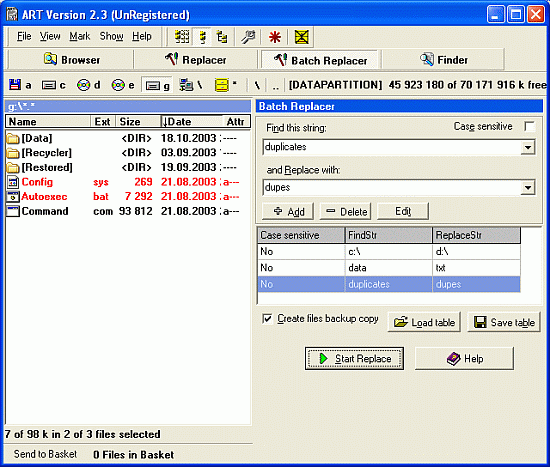
text below" field. Batch Replacer mode Batch Replacer is a text replacement utility necessary for webmasters, programmers and everybody who is concerned with computers. Imagine that you need to replace some text in hundreds of files. It will take you many hours to do it manually. Batch Replacer is created to solve this problem. It work with ALL files. You can find all symbols in file and replace them to anything. It does this job for you easily. MultiProcessing mode Multiprocessing is a tool which contain several utilities inside. This tool is necessary for webmasters, programmers and administrators. Any new abilities can be added easily. Just ask about them at support. |
If you are finding a great place for gambling like Titan Casino, try to check out the online casino promotions and internet gaming reviews at CasinoBonus.org! |